An app by Oovix

EGGIE
Eggy & Chat
Chat, communities and an AI Spirit, in one fast app.
Coming soon on the App Store · iPhone first
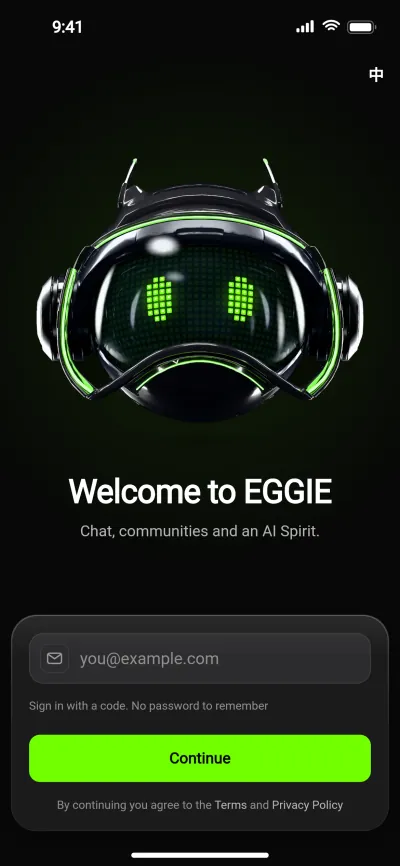
What’s in 1.0
Screens from the current EGGIE prototype. Names and numbers are sample data.
- 01Chat
- 02Communities
- 03Plaza
- 04Eggy ID
- 05Points & membership
- 06Spirit AI
- 07Safety & privacy
- More is on the way after 1.0.
01Chat
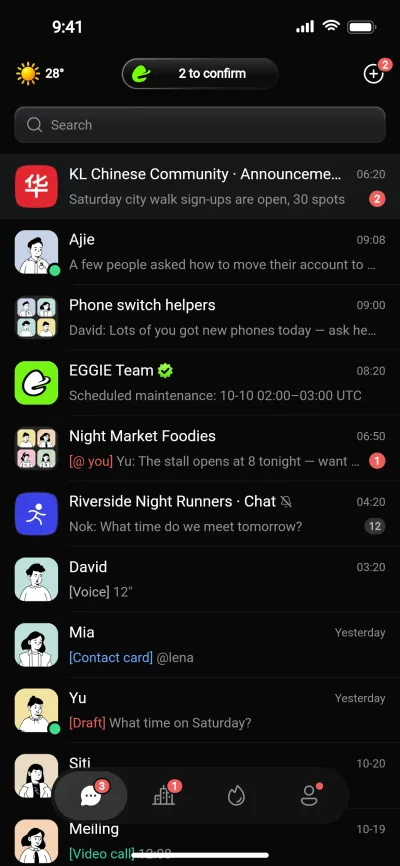
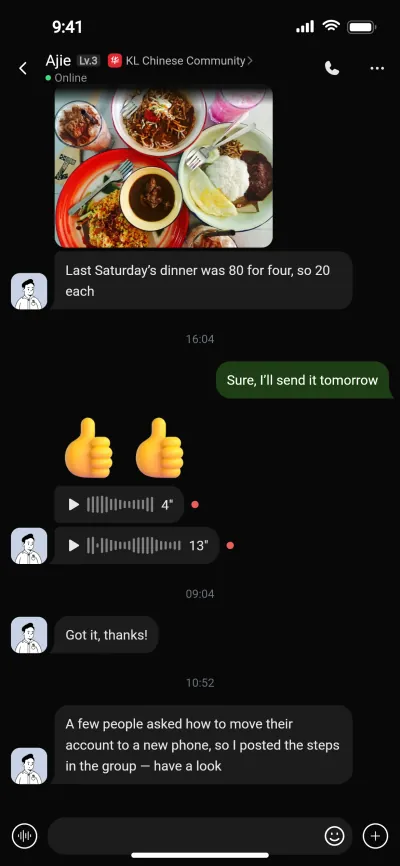
Private and group chats, in real time.
Messages run on their own service, built only to keep many phones connected at once. Send photos and voice messages, and see when they’ve been read.
- Photos, voice messages and emoji
- Read receipts and @mentions
- Chats open with what’s already on your phone; new messages fill in
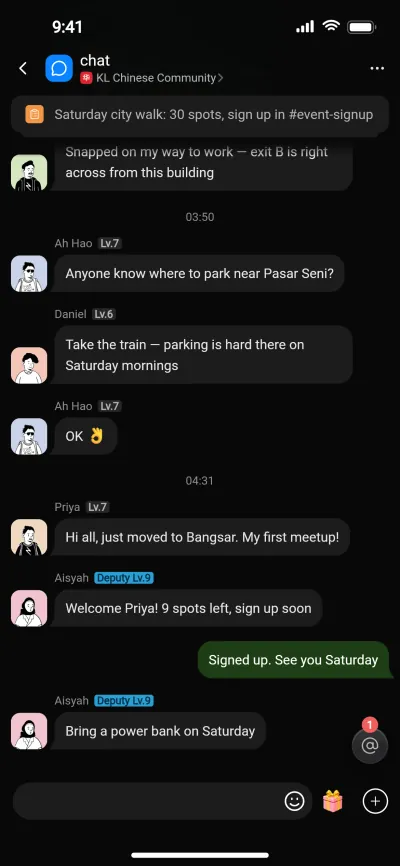
02Communities
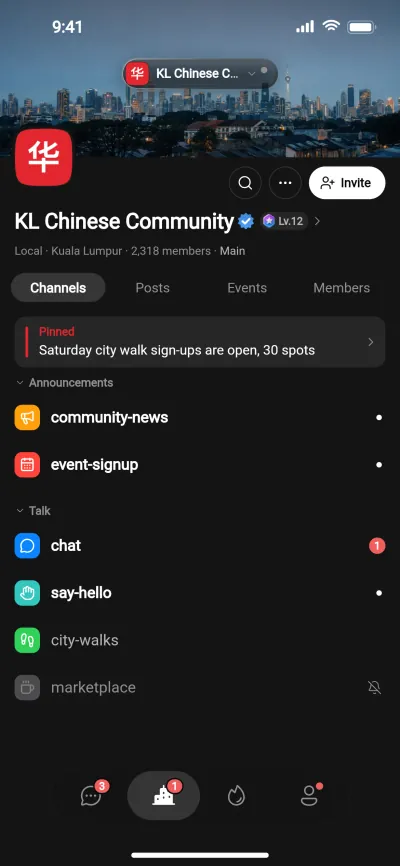
Every community gets its own place.
A community has its own name, logo and members, with channels for announcements, sign-ups and everyday chat. Pinned notices mean nobody misses a sign-up, and you can join by name or find communities near you.
One city can have many communities.
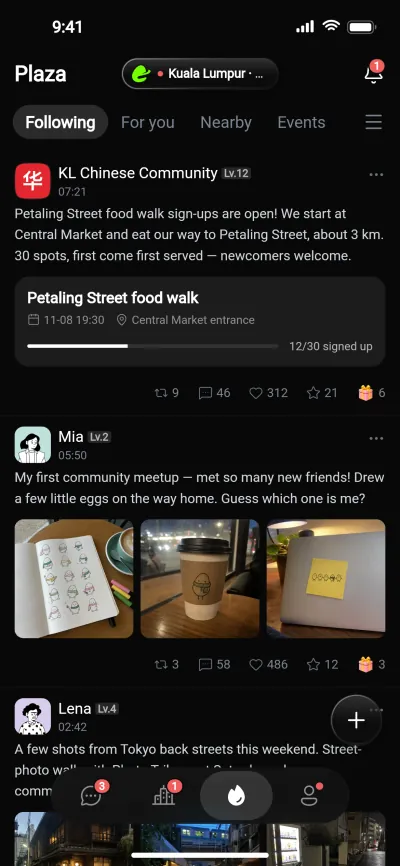
03Plaza
See what’s on around you.
Photo and text posts from the people and communities you follow, and from your city.
- Following, For you and Nearby feeds
- Repost, comment and like
- Report any post from its menu
04Eggy ID
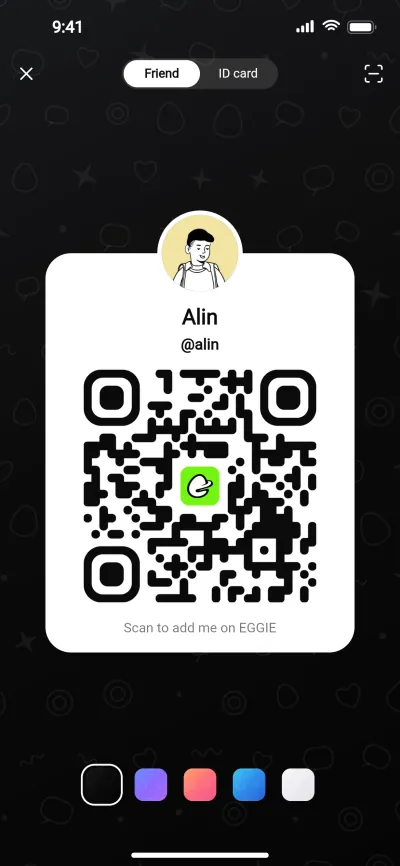
One Eggy ID, one card to share.
Pick a short Eggy ID, add a photo and a line about yourself, and choose a card colour that suits you. Your profile, communities and friends sit on one page.
Friends add you by Eggy ID, or by scanning your card.
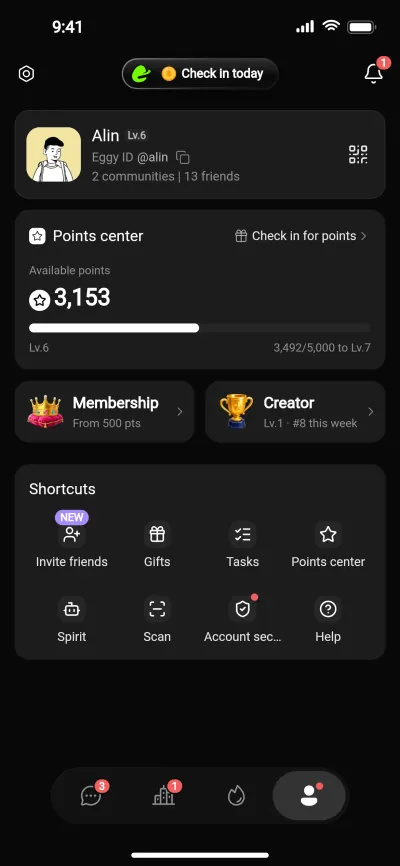
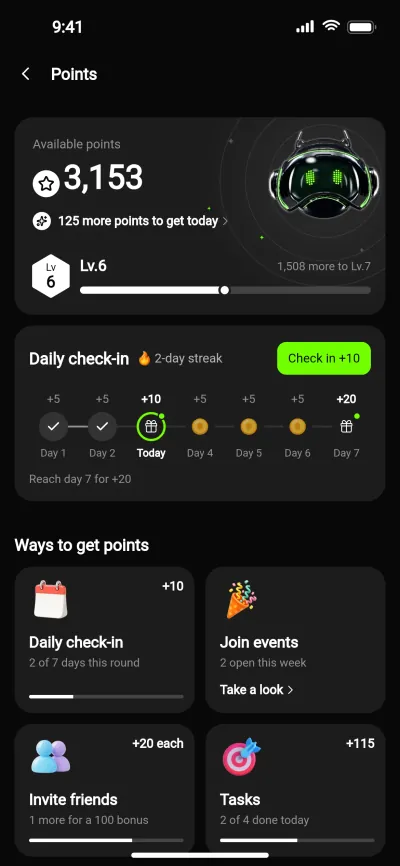
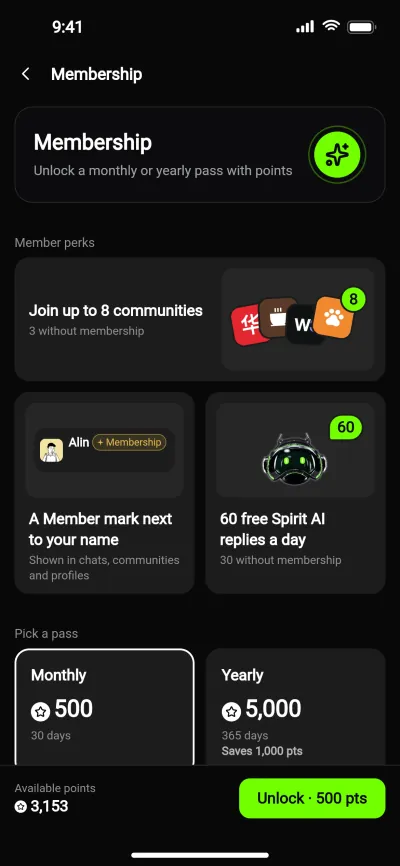
05Points & membership
Points you collect, never buy.
Points are a thank-you for taking part, not something you pay for. They don’t expire.
- Collect
- Daily check-in (7-day streaks), events, tasks, inviting friends
- Use
- Membership — join up to 8 communities instead of 3 — and gifts for friends and creators
- Can’t be
- Bought, cashed out or transferred
06Spirit AI
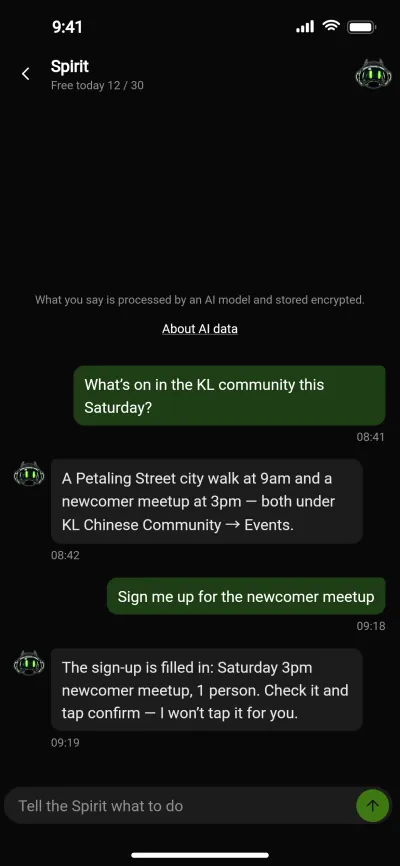
An AI Spirit that asks first.
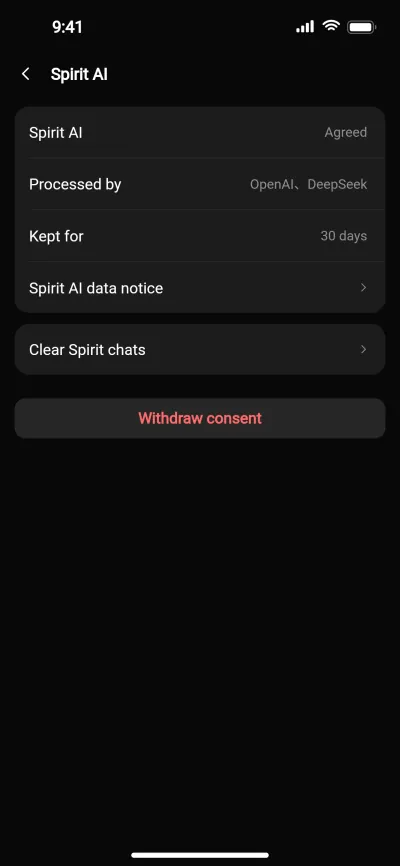
Ask the Spirit what’s on, or have it fill in a sign-up. It does the busywork, then waits for your tap. Powered by OpenAI and DeepSeek, and only after you agree.
- Asks for consent before anything goes to an AI provider
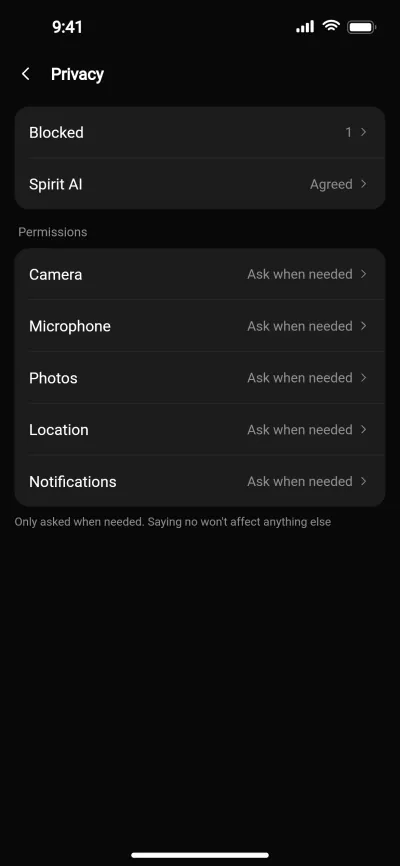
- Spirit chats are kept for 30 days, then deleted
- Withdraw consent any time; the rest of EGGIE keeps working
07Safety & privacy
Controls you can actually find.
Report or block from any chat, profile or post, and keep your own blocked list. Teen mode turns on by itself for under-18s (sign-up is 16+). Permissions are asked for only when they’re needed, and you can delete your account in Settings, with 7 days to change your mind.
Reports are reviewed within 24 hours.
Your account key
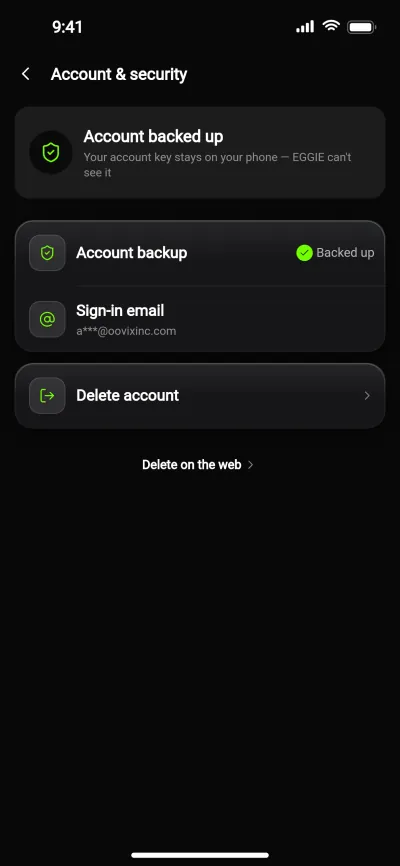
Your account key stays on your phone.
EGGIE makes your account key on your phone. The backup goes to your own iCloud, locked with a backup password only you have. We can’t see your key, and we can’t restore it for you.
- We don’t sell your data or use it for targeted ads.
- Spirit chats are kept for 30 days, then deleted.
- Delete your account in the app at any time.
iPhone first.
-
iPhone
App Store · planned for early 2027, Malaysia first
-
Android
Direct download · later
-
Google Play
Later
-
Desktop
Mac and Windows · later
Dates are plans. We’ll update this page and the Newsroom when they’re set.
Common questions
More answers in SupportHow do I sign in?
Enter your email and we’ll send you a one-time code. There’s no password to remember.
Who can use EGGIE?
You must be 16 or older. Under-18s get teen mode automatically, and 18-rated content is never shown to them.
I got a new phone. How do I get my account back?
Sign in with your email on the new phone, then choose one:
- Restore from your iCloud backup with your backup password or recovery code.
- Open EGGIE on your old phone and scan the code to move your account over.
What does the Spirit send to AI providers?
What you say to the Spirit, plus the contacts or event details a task needs. It’s processed by OpenAI and DeepSeek and encrypted in transit, and we require these providers not to use it to train their models. Account keys, passwords and codes are never sent.
How do I delete my account?
In the app: Me → Settings → Account & security → Delete account. Confirm with the code we email you, then submit.
You have 7 days to change your mind. After that your profile, photo, chats and points are deleted and your Eggy ID is unlinked.